The Customer Support Dilemma
Customer-service teams across all industries face the exact same problem: they spend hours every day answering the exact same repetitive questions. "What are your pricing plans?" "How do I reset my password?" "Where is your office located?" "Can I schedule an appointment?"
At the same time, these human agents desperately need to focus their time and energy on complex cases, frustrating exceptions, highly sensitive situations, and VIP customers who require nuanced judgment. As McKinsey highlights in their customer service research, balancing volume with quality is the defining challenge of modern operations.
This is where an AI customer service software layer becomes critical. The objective is not to fire your entire customer service team or blindly replace customer service. The real objective is to automate the appropriate, repetitive workload, deflecting noise so that human agents can step in with better context exactly when they add the most value.
Quick Answer: What is AI customer service?
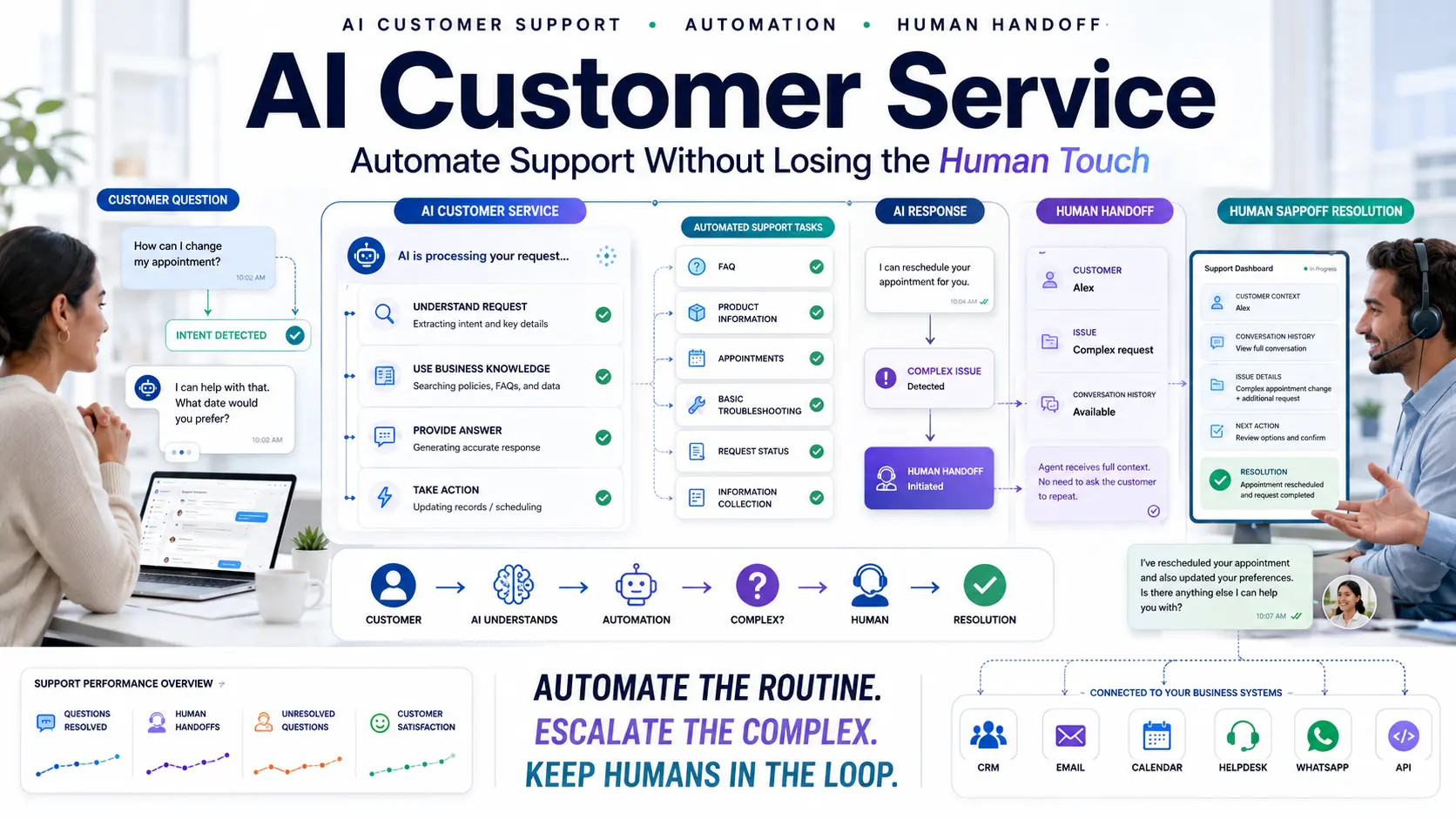
AI customer service uses conversational AI and specialized business knowledge to answer customer questions, guide users through basic processes, automate repetitive requests, capture information, and reliably route complex issues to human agents. The most effective strategy combines AI AUTOMATION + HUMAN SUPPORT. AI handles the routine volume effortlessly, while human professionals handle complex, nuanced, or highly sensitive cases.
What Is AI Customer Service?
At its core, AI customer service is the deployment of intelligent systems to manage and assist in the customer journey.
To understand the shift, look at the difference in workflows:
- Traditional Customer Support: Customer → Agent → Resolution. (High friction, high cost, subject to wait times).
- AI-Assisted Customer Service: Customer → AI → Resolution. (Instant, automated).
- AI-Escalated Customer Service: Customer → AI → Human Agent → Resolution. (AI gathers context before handing off).
Modern AI chatbots for business do not exist in a vacuum. A true AI customer service platform combines conversational AI with business knowledge, internal CRMs, ticketing systems, strict human handoff protocols, and analytics.
What Can AI Customer Service Actually Automate?
When properly integrated, an AI support chatbot can handle a massive variety of operational tasks:
Answering FAQs
Pricing, business hours, features, return policies, product availability, and links to documentation. The AI retrieves this instantly from trained knowledge bases.
Product or Service Information
AI can help customers find relevant product specifications or service details, guiding them through complex website catalogs.
Order or Request Status
Where appropriate (and properly integrated with backend systems via API), AI can retrieve real-time shipping or ticket status information.
Appointment Booking
AI can collect user requirements, check calendar availability, and help customers schedule appointments autonomously.
Lead or Customer Information Collection
Before routing a conversation, the AI can collect account numbers, email addresses, and detailed issue descriptions, saving the human agent 5 minutes of data entry.
Basic Troubleshooting
AI can guide customers through approved, step-by-step troubleshooting trees (e.g., "Have you tried clearing your cache? Let me walk you through it.").
Conversation Routing
By using natural language processing to understand intent, AI can identify when a conversation should move to Billing, Technical Support, or Sales.
Human Handoff
The system can seamlessly transfer complex or frustrated conversations directly to the live human queue.
What Should AI NOT Handle Alone?
This is arguably the most important rule of customer service automation: Establish strict boundaries.
AI should not operate completely unchecked. Businesses must define what tasks are strictly off-limits. Examples include:
- Highly sensitive customer situations (e.g., bereavement, severe account compromises).
- Complex or escalated complaints.
- Exceptions to company policies (like issuing a unique refund).
- Financial decisions or granting credit.
- Medical diagnoses or medical decisions.
- Legal advice.
- Any situation requiring deep human empathy or moral judgment.
- Requests that fall entirely outside the AI's approved knowledge base.
AI → RECOGNIZES LIMIT → HUMAN HANDOFF
The exact boundary depends heavily on the business, industry regulations, and risk level, but the fail-safe is always human escalation.
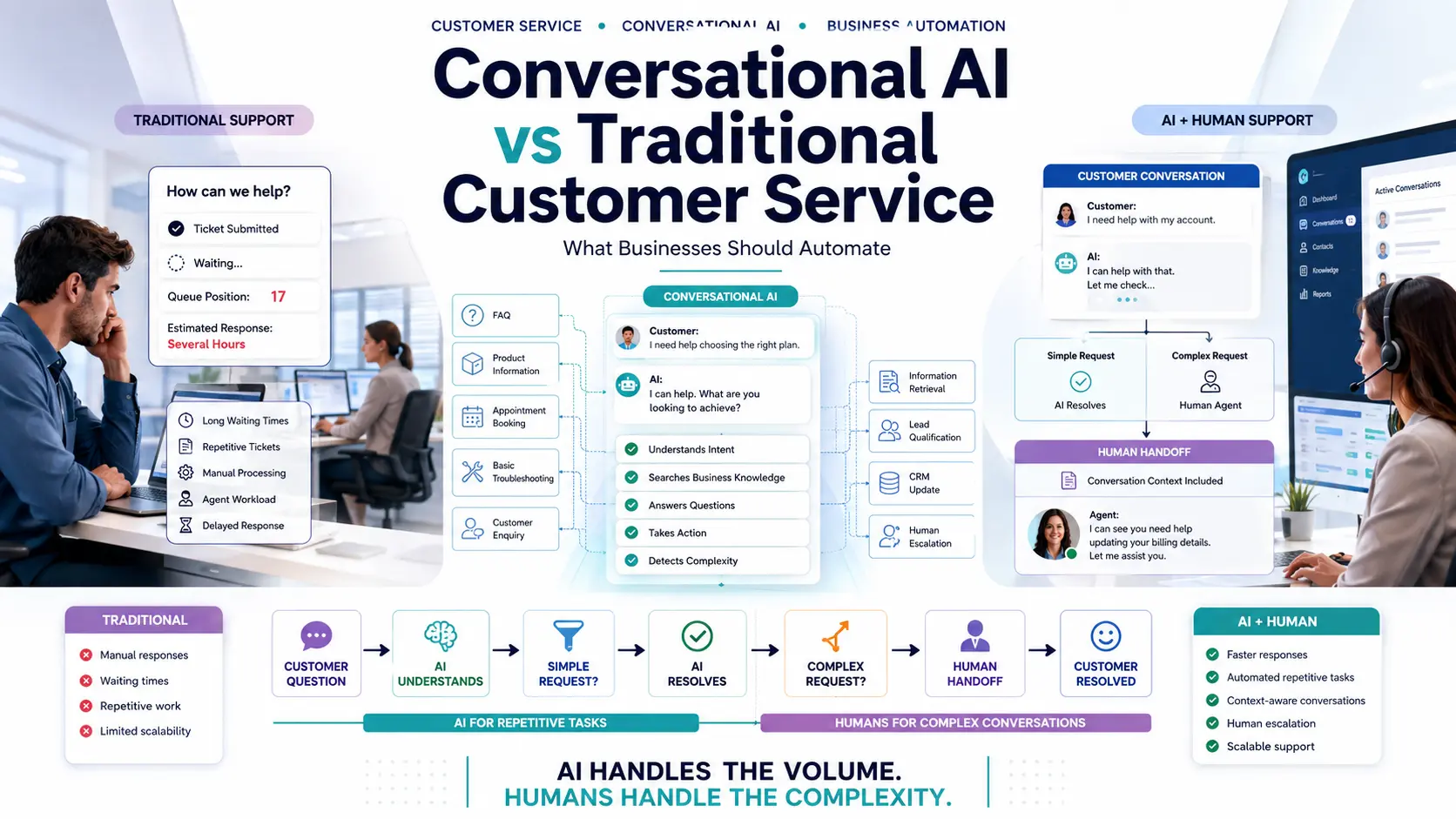
AI Customer Service vs Traditional Customer Support
AI is not automatically superior in every situation, but it excels at volume.
| Capability | Traditional Support | AI Customer Service |
|---|---|---|
| FAQ handling | Human-led (Slow) | Can be fully automated |
| Natural conversation | Human empathy | AI-assisted |
| Repetitive requests | Manual (Causes burnout) | Highly Automatable |
| Customer information | Agent collects manually | AI can collect upfront |
| Troubleshooting | Agent-led logic | AI can guide approved steps |
| Routing | Manual triage | Can be automated via intent |
| Human escalation | Native | AI can trigger seamlessly |
| CRM context | Depends on system | Can integrate natively |
| Analytics | Support platform dependent | Conversation analytics possible |
AI is most useful for repetitive, high-volume, well-defined interactions, acting as a massive operational shield for the traditional support team.
How AI Customer Support Works
The complete workflow of conversational AI customer service follows this logic path:
CUSTOMER
↓
QUESTION
↓
AI UNDERSTANDS INTENT
↓
BUSINESS KNOWLEDGE ACCESSED
↓
ANSWER / ACTION PROVIDED
↓
PROBLEM SOLVED?
↓
AI Customer Service Use Cases by Industry
- E-commerce: Handling product questions, order information, return policies, and product discovery.
- SaaS: Feature guidance, troubleshooting, navigating documentation, and demo requests.
- Real Estate: Property enquiries, availability checks, project information, and site visit requests.
- Education: Course information, admissions questions, application guidance, and counselor appointment requests.
- Healthcare: General service information, department routing, and basic appointment requests (strictly avoiding medical advice).
- Travel: Destination questions, package details, itinerary questions, and booking enquiries.
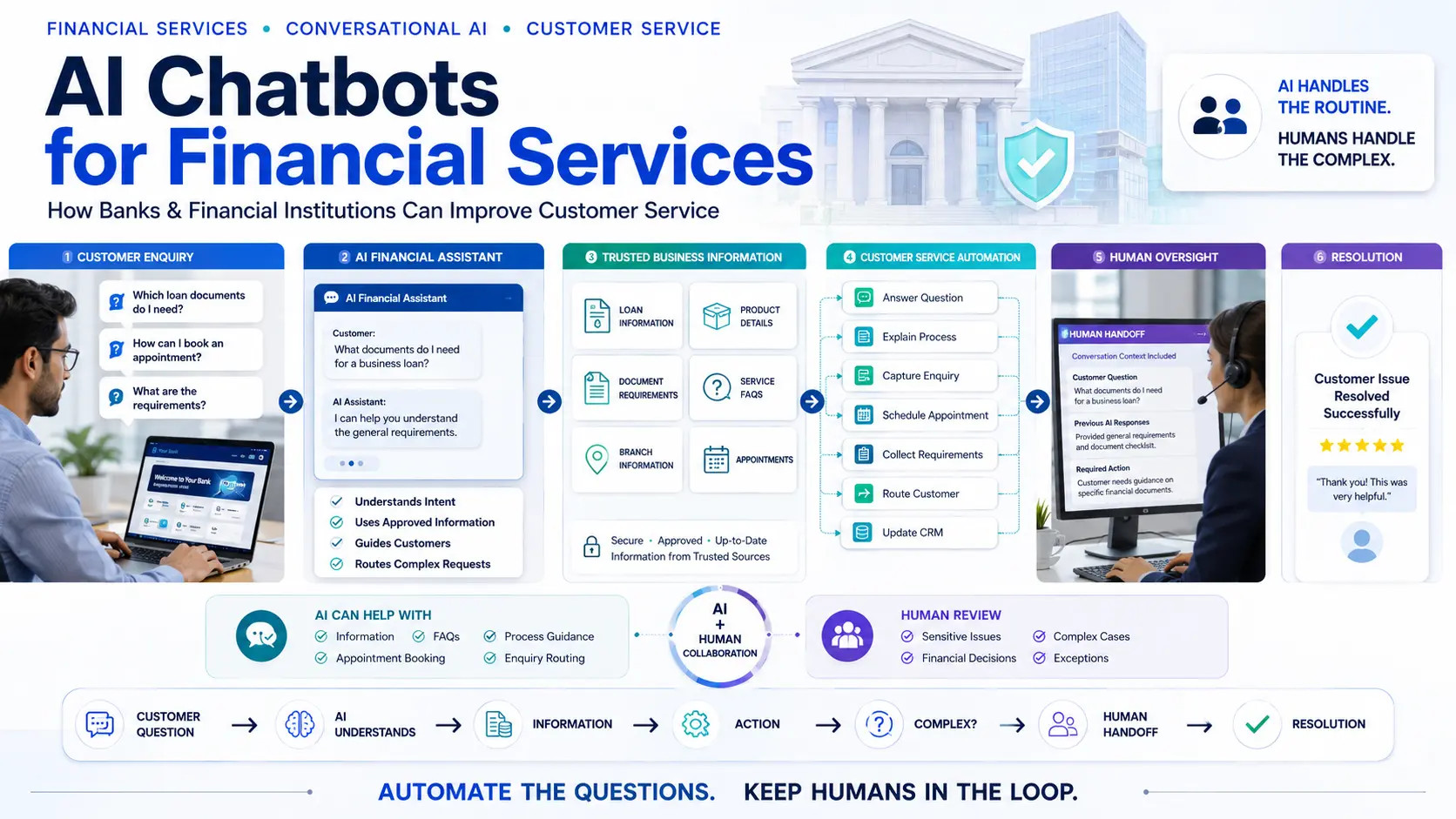
- Financial Services: General product information, policy guidance, and document process assistance (strictly avoiding independent financial decisions).
AI Customer Service vs AI Customer Support
While often used interchangeably, there is a nuanced difference in terminology.
"Customer support" typically refers to the specific, technical act of resolving acute customer issues and troubleshooting broken things.
"Customer service" is a much broader umbrella encompassing the entire customer experience. It includes providing general information, guidance, pre-sales assistance, service requests, and appointment booking. A good customer service AI should be able to straddle both—helping a prospect book a consultation and helping a user find a password reset link.
Features to Look for in AI Customer Service Software
When evaluating platforms, use this checklist:
- 1. Natural Language Understanding: Can customers ask questions naturally, with typos and slang?
- 2. Business Knowledge: Can the AI strictly use approved company information (URLs, PDFs) without hallucinating?
- 3. Knowledge Management: Can information be rapidly updated when the business changes its pricing or policies?
- 4. Conversation Context: Can the AI remember what was said three lines ago, or does it lose track?
- 5. Human Handoff: Is there a native, seamless way for the customer to reach a human?
- 6. CRM Integration: Can customer information and transcripts reach your Pre-Sales CRM automatically?
- 7. Analytics: Can you view dashboards detailing common questions, unresolved queries, and escalation rates?
- 8. Integrations: Does it connect to Email, WhatsApp, Calendars, Helpdesks, APIs, or Webhooks?
- 9. Customization: Can you heavily customize the brand appearance, conversation tone, and escalation rules?
- 10. Security and Privacy: Does the platform handle customer data according to regulatory standards?
Human Handoff Is a Critical AI Customer Service Feature
A chatbot without an escape hatch is a customer experience disaster. Human handoff is absolutely critical.
CUSTOMER → AI → COMPLEX QUESTION → HUMAN AGENT → CONTEXT TRANSFER → RESOLUTION
Crucially, when the handoff occurs, the human agent must instantly receive:
- The customer's contact information.
- The original intent of the question.
- The full conversation history.
- Any data the AI already collected (like an order number).
- The specific reason for escalation.
The customer should never have to repeat themselves.
How AI Customer Service Uses Business Knowledge
An AI customer service bot should not rely on the generalized knowledge of its underlying LLM (like answering a business question based on what the internet thought in 2023).
It must use appropriate business sources that you provide: Website content, internal FAQs, product catalogs, documentation, policies, and approved knowledge bases.
The emphasis must be on ACCURATE BUSINESS KNOWLEDGE and CONTROLLED INFORMATION. While no AI system is completely hallucination-free, heavily restricting its reference material to your approved URLs drastically reduces the risk of incorrect answers.
How to Prevent AI Customer Service Mistakes
- Strictly use approved knowledge sources; do not let the AI browse the open web.
- Define rigid escalation rules for sensitive keywords.
- Test difficult and ambiguous questions heavily before launch.
- Monitor the "unanswered questions" log daily in the beginning.
- Review conversation transcripts to see how users interact.
- Update outdated information immediately when business policies change.
- Restrict sensitive workflows (like payment processing) to secure environments.
- Always provide a clear button for human handoff.
- Track customer feedback (thumbs up/down on responses).
- Continuously iterate and improve the system based on real data.
How to Measure AI Customer Service Performance
As HubSpot notes on service metrics, you must measure quality, not just volume. Do not measure success purely by the number of chats handled—a bot that annoys 1,000 customers isn't a success. Track these KPIs instead:
- Resolution rate: Questions answered without human intervention.
- Human handoff rate: Percentage of chats escalated.
- First-response time: Should be near-instant.
- Unresolved questions: Topics the AI couldn't answer (highlights gaps in your knowledge base).
- Customer satisfaction (CSAT): Post-chat ratings.
- Support workload reduction: The measurable decrease in Tier-1 tickets submitted.
- Lead capture & Appointment bookings: Value generated beyond just support.
The most useful KPIs always depend on whether your primary objective is cost reduction or revenue generation.
Does AI Customer Service Replace Human Agents?
Not necessarily.
The best operational model is one where AI handles the repetitive and well-defined interactions, while humans handle complex issues, rare exceptions, highly sensitive cases, relationship management, and situations requiring profound judgment.
Forward-thinking businesses embrace the concept of the AI + HUMAN TEAM rather than pitting AI vs HUMAN. As Forrester research suggests, augmenting agents with AI leads to better outcomes than trying to replace them entirely.
How Much Customer Service Can AI Automate?
Automation potential is highly variable. It depends heavily on your industry, the complexity of your typical customer questions, the quality of your existing knowledge base, and your risk tolerance.
An e-commerce store answering "Where is my order?" might automate 70% of its volume. A B2B enterprise software company might only automate 30% because the questions are inherently complex. Businesses should first analyze their support conversations, identify repetitive categories, and attack those specific low-hanging fruits first.
How to Identify the Best AI Customer Service Solution
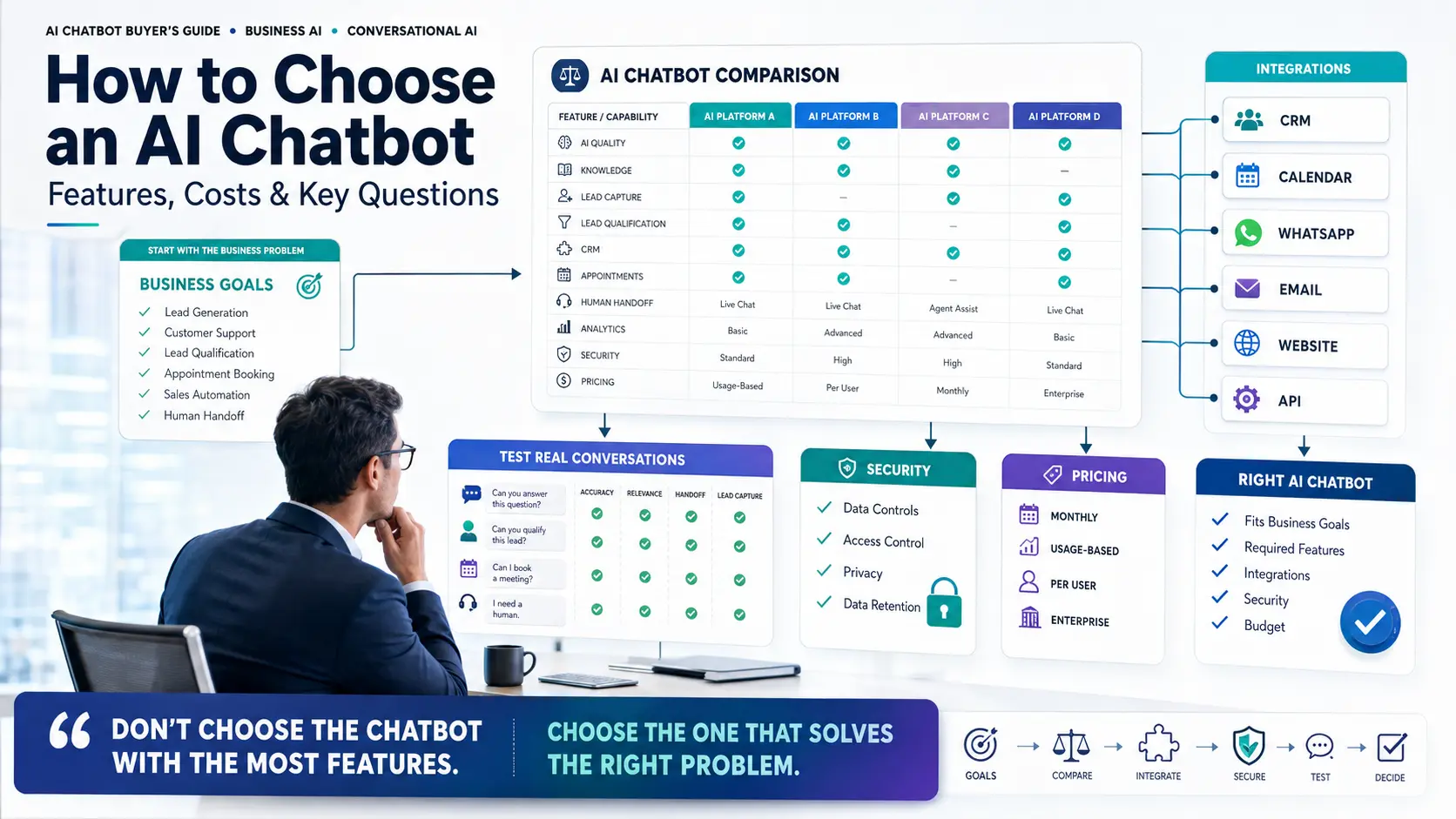
Rather than relying on a generic top-10 list, follow this decision framework:
- Step 1: Identify your most repetitive customer questions.
- Step 2: Categorize support requests by complexity.
- Step 3: Identify which requests can safely be automated.
- Step 4: Define strict human escalation rules.
- Step 5: Identify required integrations (CRM, Helpdesk, Calendar).
- Step 6: Test the AI platform using your hardest real customer questions.
- Step 7: Launch to a small percentage of traffic and measure results.
- Step 8: Expand automation gradually as confidence grows.
For more on choosing software, read our guide on How to Choose an AI Chatbot.
Questions to Ask an AI Customer Service Vendor
- How exactly does the AI learn our specific business information?
- How is the knowledge updated when our website changes?
- Can we strictly control the information the AI is allowed to use?
- Can it understand messy, conversational questions?
- Can it maintain conversation context over multiple messages?
- Can it seamlessly transfer conversations to our human agents?
- Does the human receive the full conversation history automatically?
- Does it natively integrate with our CRM?
- Does it support APIs or webhooks for custom data retrieval?
- What specific analytics dashboards are available?
- How is customer data handled securely?
- How is pricing calculated?
- What happens to costs as usage grows rapidly?
- Can we test it in a sandbox with real customer questions?
- How easy is it for non-developers to customize?
AI Customer Service for Lead Generation and Sales
Customer service and sales overlap significantly. A visitor may start a chat by asking a service question: "How much does your enterprise plan cost?" and evolve into a sales prospect: "I'd like to schedule a demo."
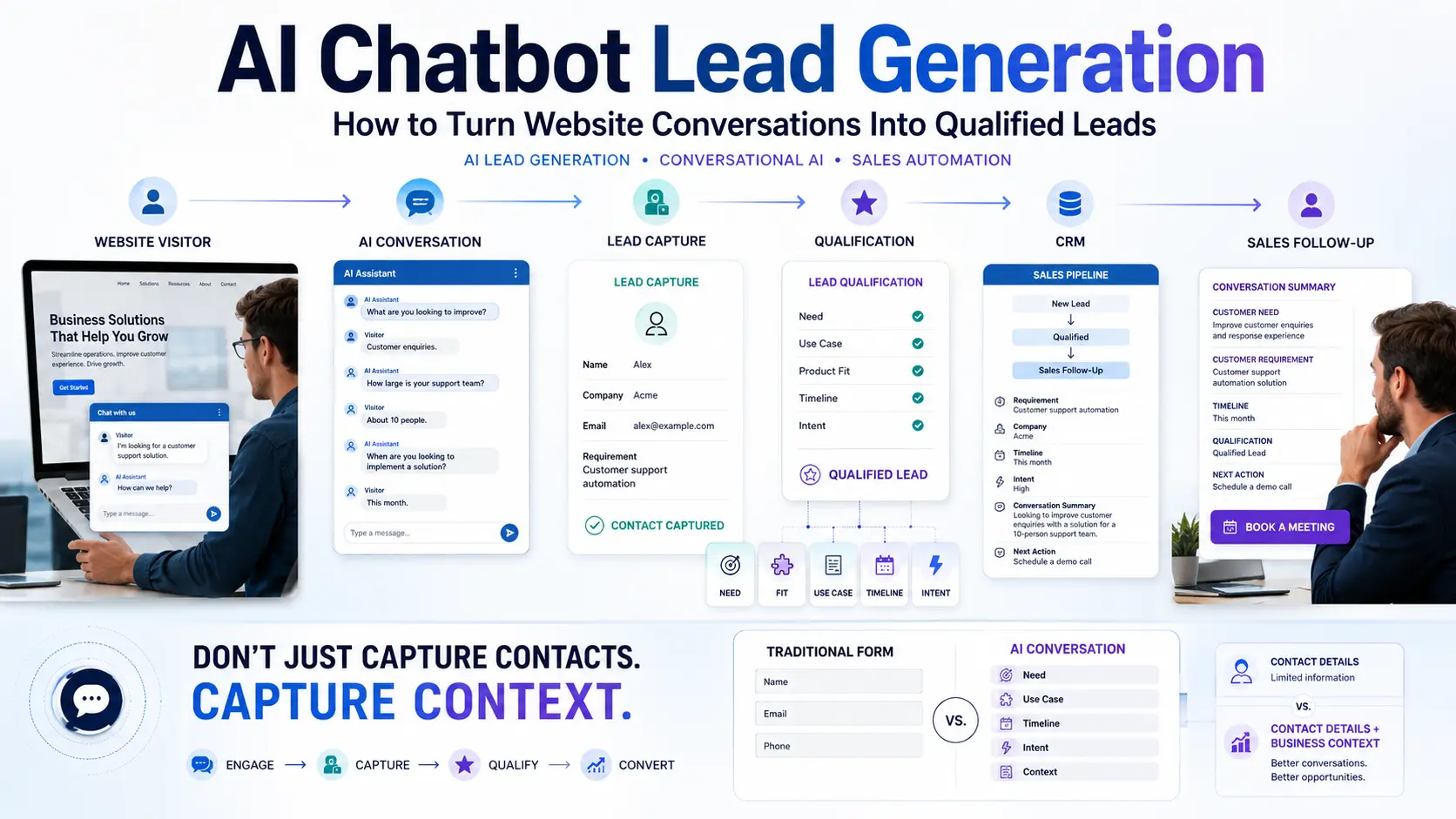
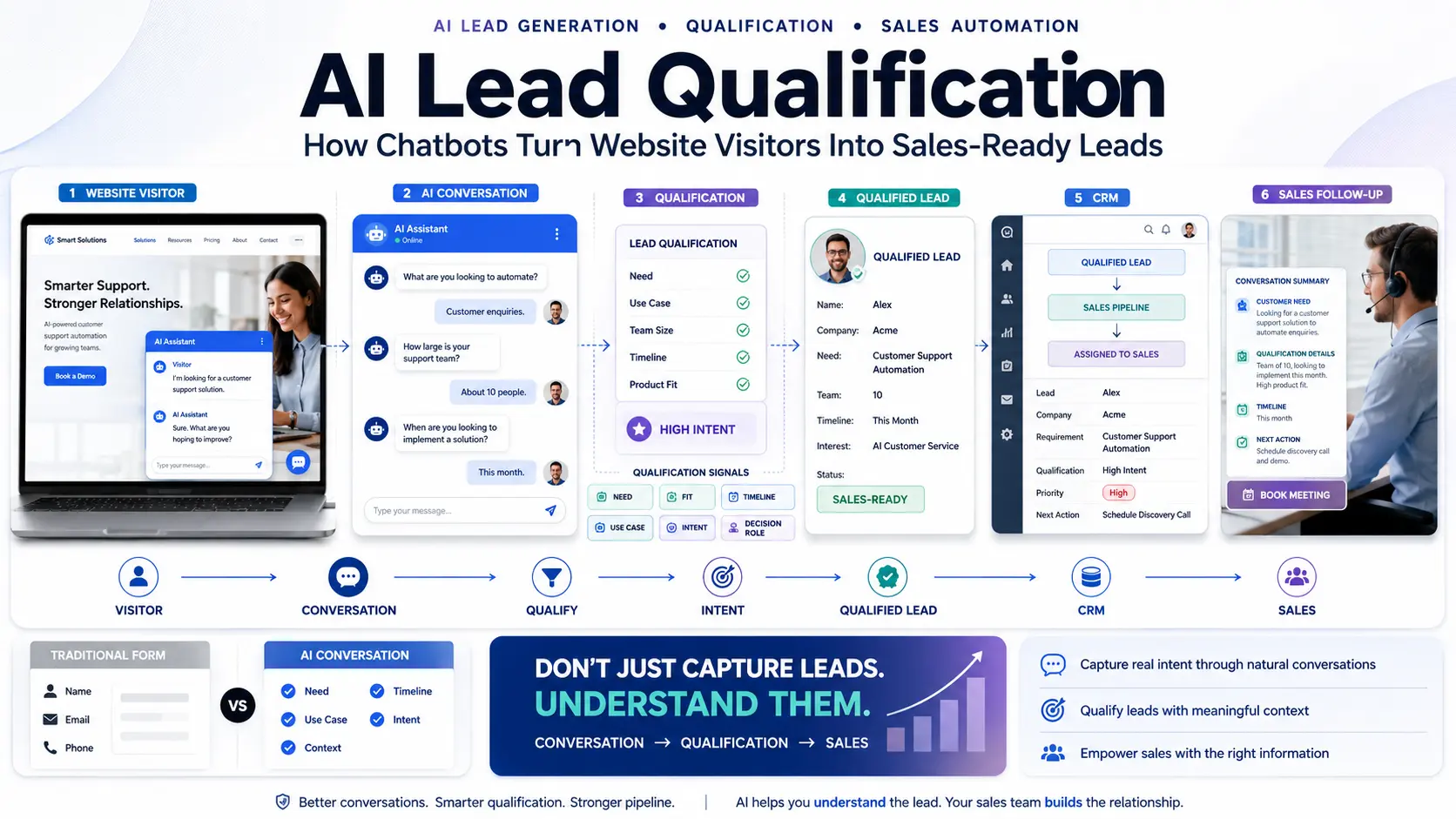
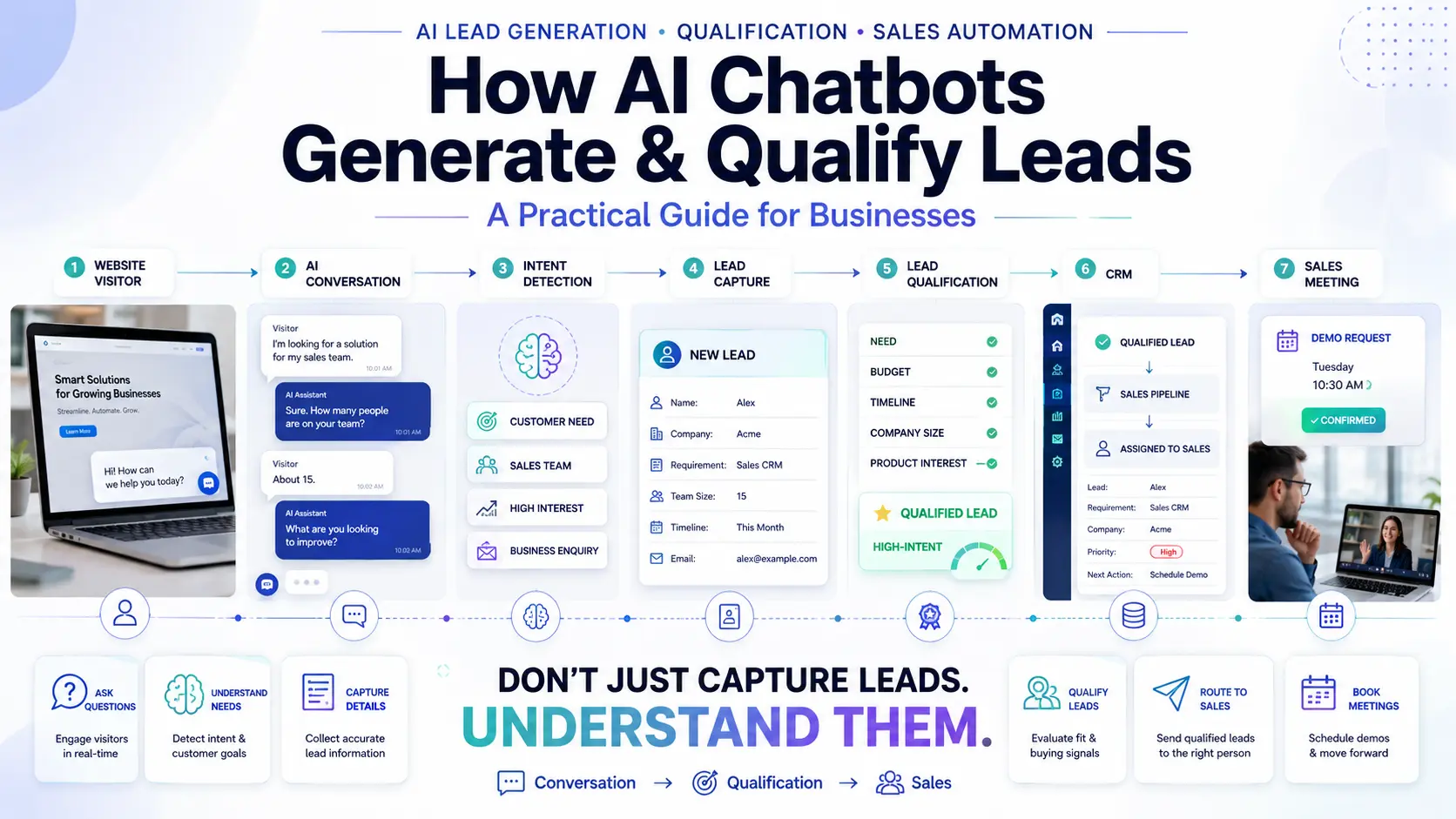
An intelligent system can handle both. The AI can answer the initial question, identify buying intent, capture contact details, qualify the enquiry, book a meeting, and send that lead data directly into the CRM.
QUESTION → AI ANSWER → BUYING INTENT → CAPTURE → QUALIFICATION → CRM → SALES
To manage this handoff properly, you must push that data into a Sales CRM so your team can capitalize on the captured intent.
How Quillive Supports AI Customer Service
Quillive is built as a comprehensive AI Website Assistant.
It is designed specifically to help businesses answer website visitor questions by rapidly learning from existing website content. Beyond basic FAQ deflection, Quillive can capture leads, qualify enquiries, book appointments, and provide robust conversation history dashboards. Crucially, it supports seamless handoffs to human team members, ensuring that when a conversation gets too complex, your staff can step in with full context.
AI Customer Service Implementation Checklist
Before Launch
- Identify common questions
- Define business goals
- Prepare knowledge sources
- Define AI boundaries
- Define escalation rules
- Connect required systems
During Testing
- Test common questions
- Test ambiguous questions
- Test out-of-scope queries
- Test human handoff flow
- Test lead capture
- Test CRM integration
- Test appointment booking
After Launch
- Review conversation logs
- Track unresolved questions
- Monitor escalation rates
- Update knowledge gaps
- Measure CSAT
- Improve conversation flows
Frequently Asked Questions
What is AI customer service?
The use of conversational AI to automate support, guide customers, and route complex interactions to human staff.
What is AI customer support?
A subset of service focusing specifically on resolving acute technical or operational issues using automated knowledge bases.
How does AI improve customer service?
By providing instant resolutions to repetitive problems and allowing human teams to focus on complex, high-value interactions.
Can AI chatbots handle customer support?
Yes, modern chatbots can resolve a vast majority of Tier-1 support tickets autonomously.
Can AI replace customer service agents?
No, it acts as a digital shield. The best systems augment human teams rather than replacing them.
What can AI customer service automate?
FAQ answers, document retrieval, lead capture, appointment booking, and basic step-by-step troubleshooting.
What is an AI customer support chatbot?
A smart widget that understands natural language and utilizes business data to solve user problems.
How does conversational AI work in customer service?
It reads the user's intent, matches it against trained business knowledge, and generates a contextual, human-like response.
Can AI customer service integrate with CRM?
Yes, connecting to a CRM is vital to ensure conversation histories and captured leads are stored securely.
Can AI chatbots transfer customers to human agents?
Yes, robust platforms feature built-in escalation rules to smoothly hand off complex chats to live agents.
How does AI handle complex customer questions?
It recognizes when a question is beyond its approved knowledge and triggers an immediate human handoff.
Can AI customer service book appointments?
Yes, they can integrate with calendar apps to schedule meetings directly in the chat interface.
Can AI customer service generate leads?
Yes, support queries often turn into sales opportunities, and AI can qualify these seamlessly.
How much does AI customer service software cost?
Costs depend on usage and features, ranging from per-conversation models to flat monthly SaaS subscriptions.
What features should AI customer service software have?
Look for intent recognition, knowledge ingestion, human escalation, CRM connectivity, and deep analytics.
Is AI customer service suitable for small businesses?
Absolutely, it allows small teams to punch above their weight and provide instant support without hiring heavily.
How do businesses measure AI customer support?
Through metrics like resolution rate, handoff rate, and post-interaction CSAT scores.
How accurate are AI customer service chatbots?
Highly accurate when their training data is strictly limited to approved business documentation.
What industries can use AI customer service?
SaaS, E-commerce, Real Estate, Education, Travel, and Healthcare are all prime candidates for support automation.
How do you implement AI customer support?
Start small: identify repetitive questions, train the bot on those specifics, test internally, and roll out gradually.
Conclusion
AI customer service is most effective when businesses automate the right interactions rather than trying to recklessly automate everything.
The strongest and most sustainable model is simple:
AI HANDLES THE ROUTINE
while
HUMANS HANDLE THE COMPLEX
A good AI customer service software system should understand customer questions effortlessly, use highly reliable business information, automate appropriate operational tasks, capture useful context, integrate tightly with backend CRMs, escalate gracefully when necessary, and ultimately help your human teams work more effectively.
To explore how to implement this balance for your organization, review how Quillive acts as an AI Website Assistant that augments rather than replaces your team.

Quillnext Team
The Quillnext Team builds advanced conversational AI solutions that help businesses automate customer support, capture leads, and scale operations efficiently.
Visit Quillnext