The Buyer's Dilemma
The explosion of artificial intelligence has resulted in a crowded market of hundreds of chatbot platforms. As McKinsey reports on the state of AI, adoption is accelerating, but for a business owner, sales manager, or customer-service leader, choosing the right platform is no longer simply about finding the software with the longest feature list.
A business must ask fundamental questions: What exactly do we want this software to accomplish? Do we need to deflect customer support tickets? Generate leads? Qualify those leads? Book appointments? Route conversations to different departments? Or simply answer FAQs?
Choosing the wrong platform based purely on a marketing page can result in a poor customer experience, low-quality leads, difficult IT integrations, unexpected scaling costs, and excessive manual work for your team. This practical buyer's guide will walk you through exactly how to evaluate an AI chatbot before signing a contract.
Quick Answer: How to choose the right AI chatbot
Businesses should choose an AI chatbot based on their specific operational use case rather than popularity alone. Start with the business problem, then evaluate the platform. Key evaluation areas include AI understanding quality, knowledge base accuracy, lead capture and qualification workflows, human handoff capabilities, seamless CRM connectivity, data security, and transparent pricing structures that support scalability.
What Is an AI Chatbot for Business?
In the modern landscape, an AI chatbot for business is software that utilizes Natural Language Processing (NLP) and Large Language Models (LLMs) to engage users conversationally.
Unlike basic rule-based chatbots—which force users to click rigid menus ("Press 1 for Sales")—modern AI chatbots can understand natural open-text questions, ingest and utilize your approved business knowledge, qualify prospects dynamically, book appointments, and route conversations. When evaluated properly, they act as an autonomous digital assistant rather than just a widget.
Start With Your Business Goal
Before looking at any software, you must determine your primary objective.
| Primary Business Goal | Important Capabilities to Look For |
|---|---|
| Lead generation | Lead capture, qualification logic, CRM routing |
| Customer support | Knowledge base ingestion, FAQs, live human handoff |
| Sales | Product information, deep qualification, direct booking |
| Appointment booking | Robust two-way calendar integration |
| E-commerce | Product discovery, cart recommendations, order tracking |
| Education | Student enquiries, admissions routing, application help |
| Real estate | Property enquiries, budget qualification, site visit booking |
| SaaS | Product questions, troubleshooting, demo booking |
The "best" chatbot depends entirely on this use case. A bot designed to sell shoes via Instagram will fail miserably at qualifying enterprise software leads on a B2B website.
12 Features to Look for in an AI Chatbot
When comparing platforms, evaluate these 12 critical features:
1. Natural Language Understanding
Can the chatbot understand slang, typos, and normal conversational questions, or does it fail if the user doesn't use exact keywords?
2. Business Knowledge
Can the AI be trained exclusively on your company's website, PDFs, and approved FAQs so that it doesn't invent answers?
3. Lead Capture
Can it naturally collect a visitor's name, email, and phone number during a conversation?
4. Lead Qualification
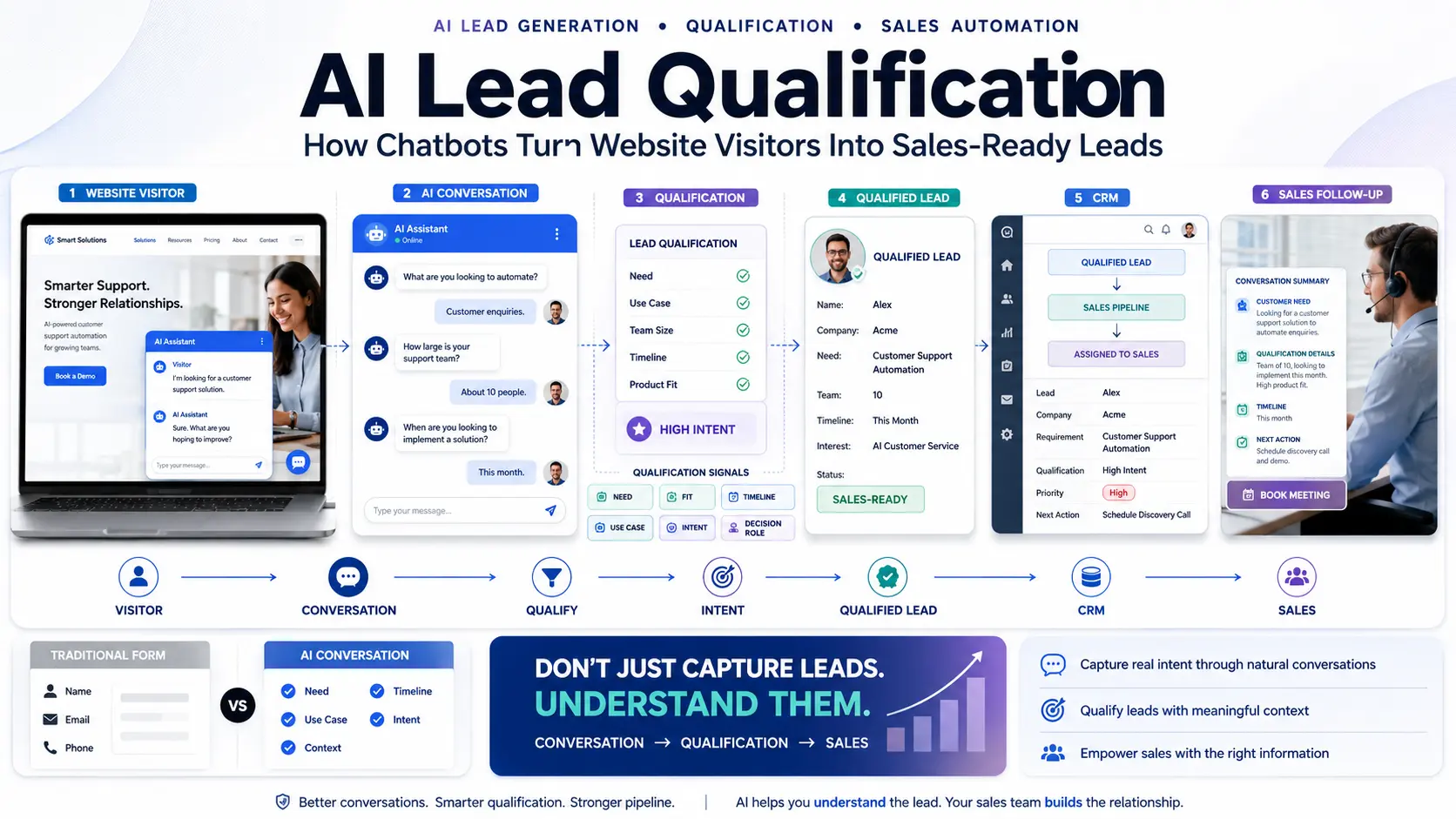
Can it ask dynamic follow-up questions (budget, timeline, company size) to determine if a prospect is a good fit?
5. Human Handoff
Can conversations be seamlessly transferred to a live human agent when the AI gets stuck or identifies a high-value opportunity?
6. CRM Integration
Can leads and full conversation transcripts be sent automatically to your Pre-Sales CRM?
7. Appointment Booking
Can visitors view availability and schedule meetings natively inside the chat window?
8. Analytics
Does the platform provide metrics on conversations, lead capture rates, popular questions, and handoff rates?
9. Customization
Can you control the widget's appearance, brand voice, specific conversation flows, and escalation rules?
10. Integrations
Does it support connections to WhatsApp, Email, Webhooks, and custom APIs? (Note: not every platform supports everything).
11. Security and Privacy
Does the platform offer data encryption, strict access controls, and compliance with privacy regulations (e.g., GDPR, SOC2)?
12. Scalability
Will the software crash or become prohibitively expensive when your traffic scales from 1,000 to 100,000 visitors?
AI Chatbot vs Traditional Website Chatbot
It's important to recognize that simple rule-based systems are still appropriate for very simple, rigid workflows. However, for a dynamic business environment, AI is vastly superior:
| Capability | Traditional Chatbot | AI Chatbot |
|---|---|---|
| Fixed responses | Strong | Can support |
| Natural conversation | Limited | Stronger |
| Context understanding | Limited | Better |
| Business knowledge | Usually strictly structured | Can dynamically ingest sources |
| Lead qualification | Basic yes/no | Highly flexible |
| Dynamic questions | Limited | Stronger |
| Human handoff | Usually available | Usually available |
| Personalization | Limited | Greater potential |
AI Chatbot vs AI Customer Service Platform
Understand exactly what you are buying.
A chatbot may simply be a widget that sits on your site and answers questions based on a single PDF.
A broader AI customer-service platform is a larger ecosystem that includes conversation management dashboards, deeply integrated knowledge bases, robust agent handoff ticketing, integrated CRM features, and cross-channel automation. Ensure you aren't paying for an entire enterprise platform if you only need a basic lead-gen widget, and vice versa.
How Much Does an AI Chatbot Cost?
Pricing in the AI chatbot market is highly variable. Be aware of these common pricing models:
- Free / Limited Plans: Useful for experimentation but usually lack CRM integration and human handoff.
- Per Conversation: You pay a fraction of a cent (or more) for every chat initiated. Good for low-traffic sites.
- Per Lead: The platform charges based on the number of emails or phone numbers captured.
- Per User / Agent: Common in customer-service platforms where you pay for each human agent who has access to the backend dashboard.
- Monthly Subscription: Fixed recurring plans that usually include a set limit of features or conversations.
- Usage-Based AI Pricing: Costs may depend on the volume of tokens/LLM usage required to generate answers.
- Custom / Enterprise Pricing: Reserved for complex security requirements, deep APIs, and dedicated account managers.
TOTAL COST = SOFTWARE SUBSCRIPTION + AI USAGE LIMITS + INTEGRATION SETUP + HUMAN SUPPORT TIME
The cheapest monthly plan is rarely the cheapest overall solution if it requires your developers to spend 40 hours building a custom CRM bridge.
What Integrations Should an AI Chatbot Have?
A chatbot without integrations is just an isolated island. Look for:
- CRM: Essential for lead storage and sales follow-up.
- Calendar: Essential for automated appointment booking.
- WhatsApp / SMS: Useful for omnichannel customer communication.
- Email: Required for internal notifications and lead nurturing.
- Website Forms: To replace or supplement existing lead capture.
- Webhooks / APIs: Critical for custom backend automation and data syncing.
- Analytics: Connections to Google Analytics or custom reporting tools.
Always evaluate integrations based on the technology stack your company already uses.
Why CRM Integration Matters
If a chatbot qualifies a lead, but that data never reaches the sales team, the lead is useless. As Salesforce notes on the importance of CRM, centralized data is critical for closing deals.
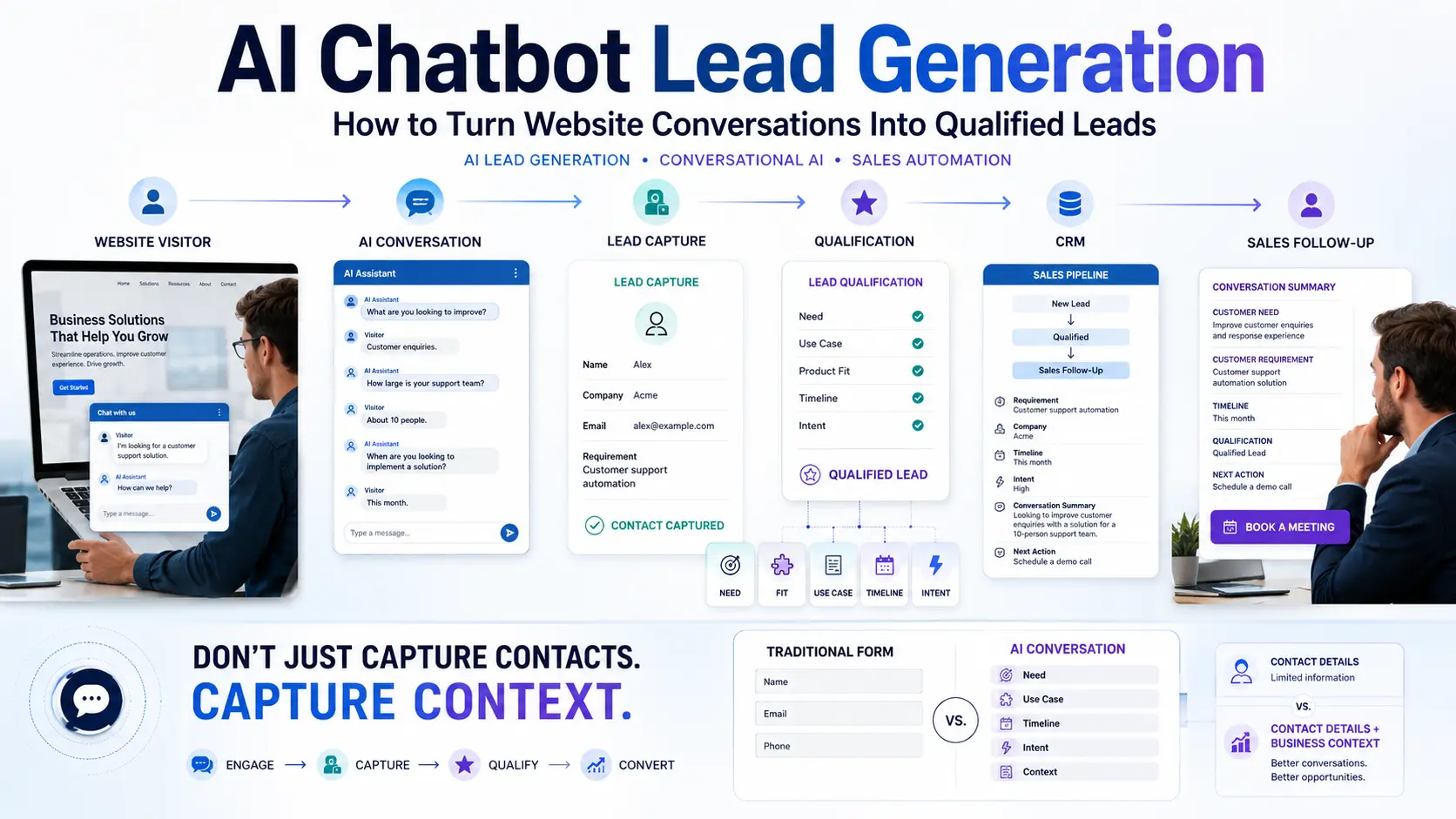
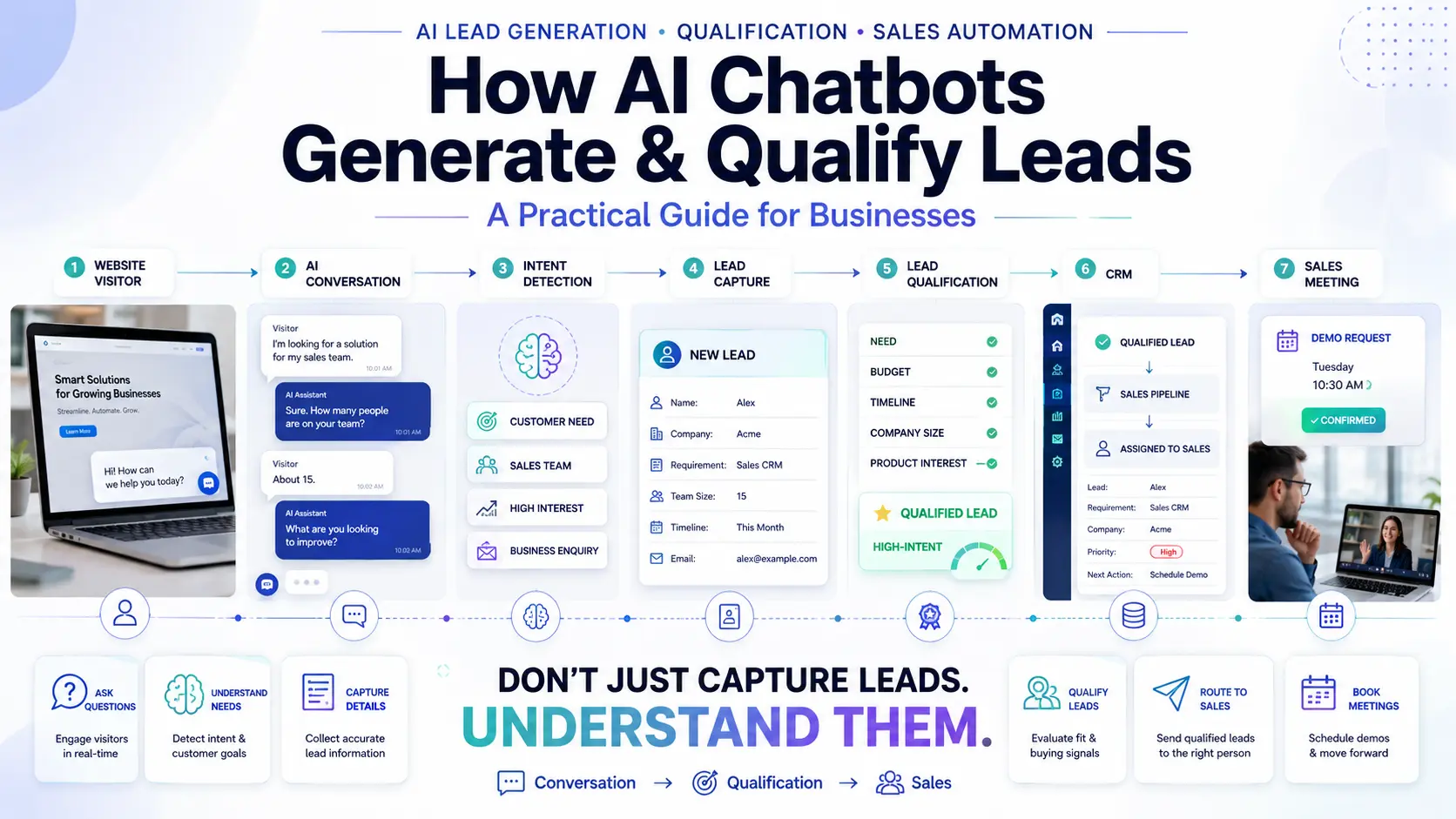
WEBSITE VISITOR → AI CONVERSATION → QUALIFIED LEAD → CRM → SALES OWNER → FOLLOW-UP → CONVERSION
When a high-intent prospect engages with your bot, the transcript and contact details must be synced instantly to a Pre-Sales CRM. This allows your sales reps to review the exact conversation context before they pick up the phone, drastically increasing closing rates.
How Important Is Human Handoff?
Businesses should never choose a platform based solely on how much it can automate. You must also evaluate how it fails gracefully. A strong platform defines:
- When the AI should stop talking (e.g., if it senses anger).
- When a human should take over.
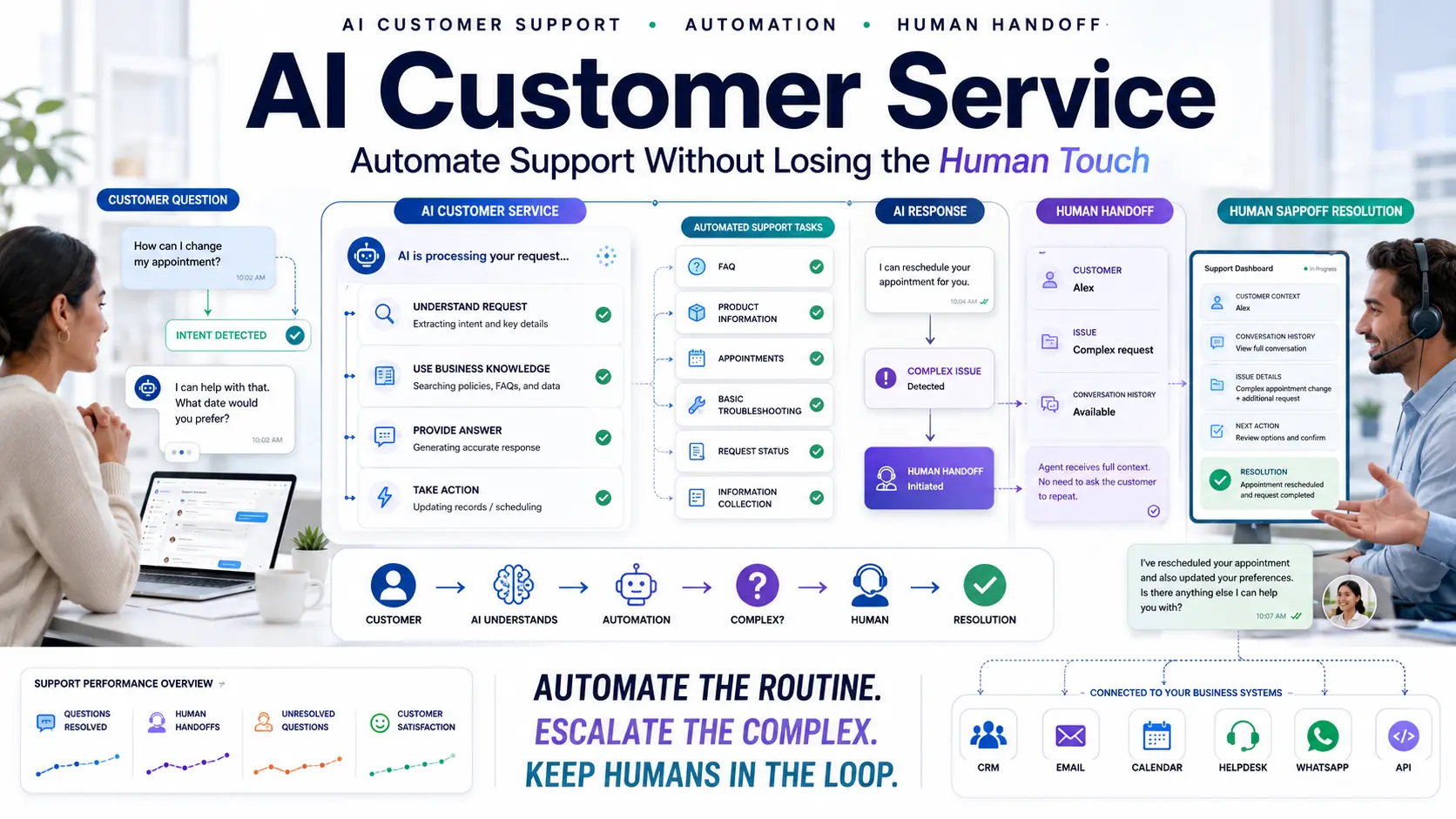
- How the conversation context is transferred so the customer doesn't repeat themselves.
- Who receives the conversation (Sales vs. Support).
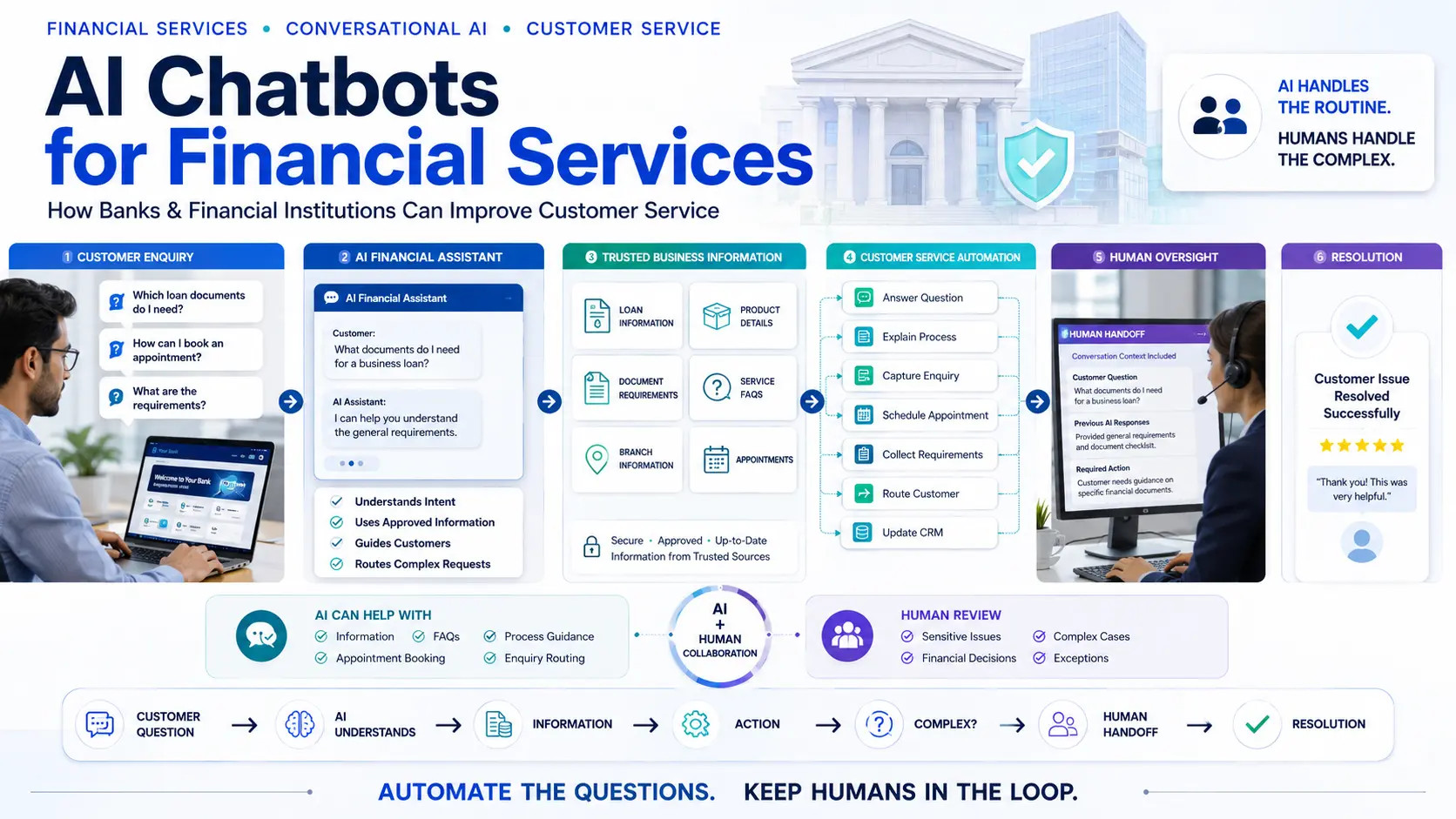
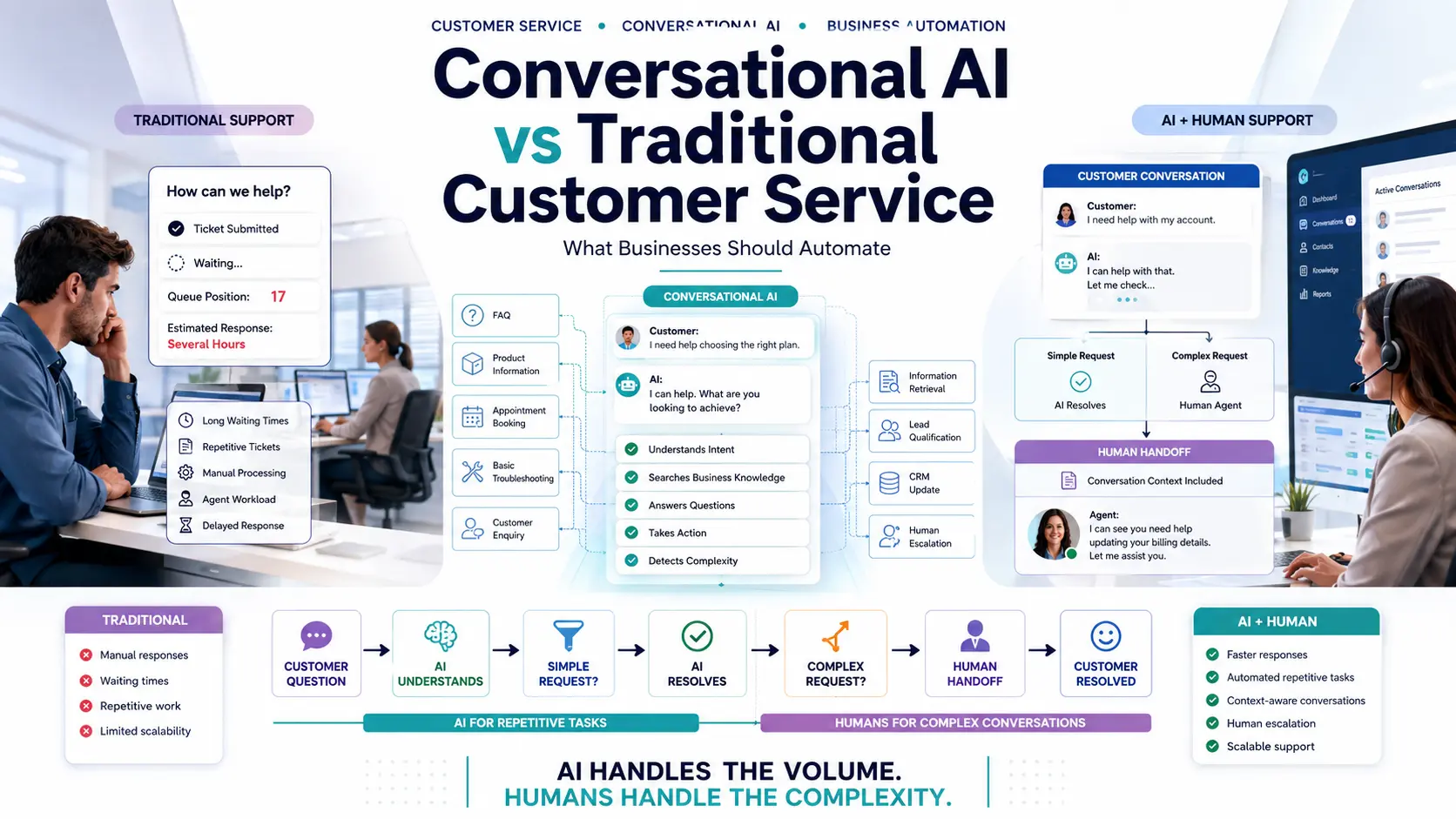
AI → COMPLEX QUESTION → HUMAN AGENT → CONTEXT TRANSFERRED → RESOLUTION
For a detailed breakdown of how to structure this, see our guide on Conversational AI vs Traditional Customer Service.
Security and Privacy Questions to Ask
Do not deploy a chatbot without asking the vendor these critical questions:
- Where is our customer data geographically stored?
- How is data encrypted in transit and at rest?
- Does the AI model use our private conversation data to train itself? (It shouldn't).
- Can conversation history be controlled or deleted upon request?
- Who internally at the vendor can access our customer conversations?
- What integrations have access to this data?
- Can sensitive information (like SSNs or credit cards) be automatically redacted?
- What security certifications (e.g., SOC2) are available?
- What happens to our data if we cancel our contract?
How to Test an AI Chatbot Before Buying
Never buy based on a polished sales demo. Request a sandbox or free trial and run these tests:
- Easy Questions: "What services do you offer?" (Checks basic knowledge retrieval).
- Ambiguous Questions: "I'm interested in your solution." (Checks if the bot asks clarifying questions).
- Complex Questions: "I have a specific problem involving three different software requirements." (Checks reasoning capability).
- Wrong Questions: "What don't you offer?" (Checks logic).
- Out-of-Scope Questions: "Who won the Superbowl?" (Checks if the bot stays on brand or hallucinates).
- Lead Qualification: "Can I book a demo?" (Checks the CRM and calendar workflow).
- Human Handoff: "I need to speak to someone right now." (Checks the escalation protocol).
Evaluate the platform strictly on Accuracy, Speed, Relevance, Conversation quality, and Handoff fluidity.
15 Questions to Ask an AI Chatbot Vendor
- What specific underlying AI models power this chatbot?
- How exactly does it learn our business information?
- How is the knowledge base updated when our website changes?
- Can we strictly control or override the chatbot's answers?
- Can it capture names and emails natively in the chat?
- Can it ask dynamic questions to qualify leads?
- Can it natively book appointments on a calendar?
- Does it integrate natively with our specific CRM?
- Does it support live human handoff?
- Can we view the full history of every conversation?
- What specific analytics and dashboards are available?
- How is pricing calculated (per chat, per seat, per month)?
- What happens to our costs when usage spikes?
- What security controls and compliance standards are in place?
- What happens to our data if we leave the platform?
Common Mistakes When Choosing an AI Chatbot
- Choosing based only on price: Cheap bots often hallucinate and damage your brand.
- Choosing based only on the AI model: Having "GPT-4" means nothing without good business logic built around it.
- Buying too many features: Start simple; you probably don't need a 40-step automation flow on day one.
- Ignoring integrations: A bot isolated from your CRM is a massive operational headache.
- Ignoring human handoff: Never trap a frustrated customer in an endless AI loop.
- Not testing real conversations: Sales demos are rigged; test it with your real data.
- Not checking knowledge accuracy: Ensure the bot strictly adheres to your approved documentation.
- Ignoring analytics: If you can't measure it, you can't improve it.
- Not defining the business objective: Buying software without a clear goal guarantees failure.
- Choosing a platform that does not scale: Ensure the pricing makes sense when your traffic doubles.
Which Type of AI Chatbot Does Your Business Need?
Use this simple decision framework:
- If your main goal is Customer Support: Look for a platform emphasizing deep Knowledge ingestion, FAQ automation, and seamless Human Handoff.
- If your main goal is Lead Generation: Look for Conversational flows, Lead Capture, Dynamic Qualification, and native CRM integrations.
- If your main goal is Sales: Look for strict Product Knowledge, rigorous Qualification, and native Meeting Booking.
- If your main goal is E-commerce: Look for Product Recommendations, Inventory integrations, and Cart tracking.
- If you need Complex Customer Service: Look for Enterprise Knowledge management, advanced Escalation workflows, and deep Analytics.
How Quillive Fits Into the AI Chatbot Landscape
Quillive is designed specifically as an intelligent AI Website Assistant.
Rather than trying to be a generic widget, Quillive is built to help businesses rapidly learn from their existing website content, reliably answer visitor questions, capture leads, qualify enquiries, and book appointments. It provides robust conversation insights, supports human handoff to your team, and connects seamlessly into broader business workflows. Businesses prioritizing operational efficiency, lead qualification, and secure CRM integration should evaluate Quillive against their specific requirements.
AI Chatbot Selection Checklist
Business Goal
- Defined primary use case
- Defined target audience
- Defined desired outcome
AI Capabilities
- Natural language understanding
- Business knowledge ingestion
- Automated knowledge updating
- High response accuracy (No hallucinations)
Lead Generation
- Conversational lead capture
- Dynamic qualification questioning
- Intelligent lead routing
- Native CRM integration
Customer Service
- FAQ automation
- Live human handoff
- Full conversation history
- Operational analytics
Security & Commercial
- Data privacy & access controls
- Data retention policies
- Pricing model clearly understood
- Scaling costs mapped out
Frequently Asked Questions
How do I choose an AI chatbot for my business?
Define your primary goal (support vs. sales), evaluate platform features against that goal, verify necessary integrations (like CRM), and conduct rigorous real-world testing.
What is the best AI chatbot for business?
There is no single "best" platform. The right choice depends entirely on your specific use case, budget, existing tech stack, and required level of automation.
What should I look for in an AI chatbot?
Prioritize strong natural language understanding, business knowledge accuracy, human handoff capabilities, robust analytics, and data security.
How much does an AI chatbot cost?
Costs vary from a few cents per conversation to fixed monthly subscriptions to expensive enterprise tiers. Always calculate the total cost including AI usage and setup time.
What features should a business chatbot have?
It must be able to understand context, route queries to humans, capture lead data, integrate with CRMs, and provide performance analytics.
What is the difference between a chatbot and conversational AI?
A chatbot usually refers to older, rigid, menu-driven tools. Conversational AI utilizes LLMs to understand open-text and context dynamically.
Can AI chatbots generate leads?
Yes, they are highly effective at proactively engaging visitors, asking conversational questions, and capturing contact info.
Can AI chatbots qualify leads?
Yes. You can instruct the AI to ask about budget, timeline, and company size before forwarding the prospect to your sales team.
Can AI chatbots integrate with CRM?
Yes, robust platforms connect via API or native integrations to ensure all leads and transcripts are synced to your CRM.
Can AI chatbots book meetings?
Yes, by integrating with your team's calendar software, the chatbot can present available times and schedule appointments instantly.
Can AI chatbots replace customer service?
No. They augment customer service by handling the repetitive volume, leaving human agents to handle complex or emotionally sensitive cases.
What is the best chatbot for customer support?
Look for platforms emphasizing deep knowledge ingestion from your FAQs and seamless, reliable ticketing integrations for human escalation.
What is the best chatbot for lead generation?
Look for platforms that excel at dynamic qualification, intent detection, meeting booking, and native CRM synchronization.
How do I compare AI chatbot platforms?
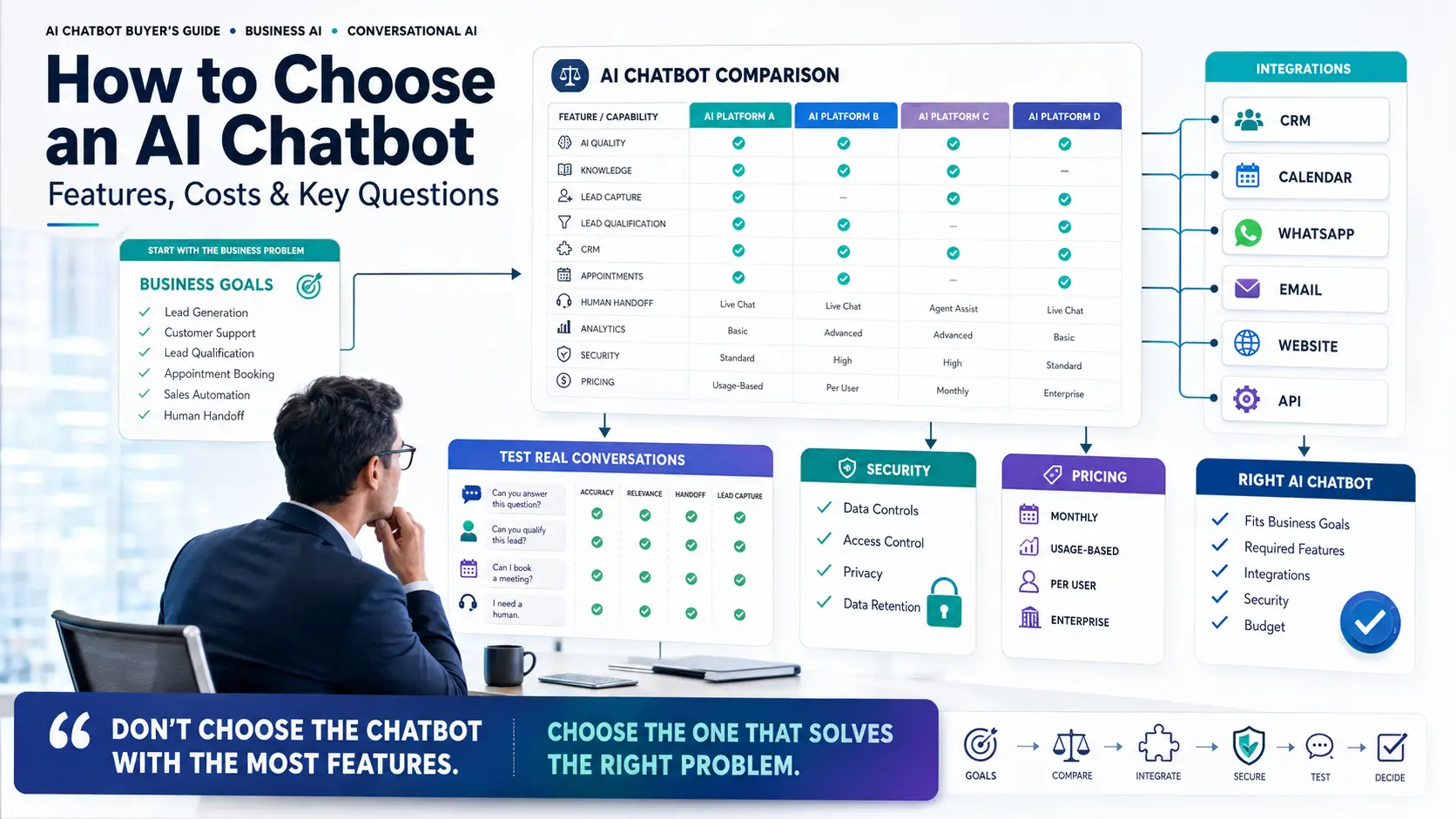
Evaluate them across six pillars: Goal alignment, Features, Integrations, Security, Pricing structure, and hands-on Testing results.
Is an AI chatbot worth it for a small business?
Yes, it acts as a digital assistant that provides immediate 24-hour response to basic queries without the overhead of hiring additional staff.
Conclusion
Do not choose an AI chatbot simply because it has the longest feature list or the most marketing hype. Choose the platform that solves your specific operational friction.
When making your decision, adhere strictly to this framework:
GOAL → REQUIRED FEATURES → INTEGRATIONS → SECURITY → PRICING → REAL-WORLD TESTING → FINAL DECISION
By mapping your business requirements to the correct capabilities, you ensure a deployment that improves customer experience, generates high-quality leads, and scales cost-effectively.
If your primary goals involve intelligent lead capture, qualification, and operational efficiency, Quillive is a powerful platform built to evaluate against your business needs.

Quillnext Team
The Quillnext Team builds advanced conversational AI solutions that help businesses automate customer support, capture leads, and scale operations efficiently.
Visit Quillnext